
Video Creation
Guides
In-App Tutorials
Knowledge Hub
Academy
Administration
New Releases
- What is the maximum size of a pre-recorded video file when uploading to Trainn?
- How can I pause a recording and resume it later when I'm ready for the next step?
- What is the maximum duration for screen recording?
- Why isn’t my video automatically processed into multiple clips based on interactions made?
- How do I upgrade from trial to paid plan?
- Can I upload a file into Trainn?
- How to download a video?
How to make an imported clip display at Full Screen layout?
5 steps
How to make an imported clip display at Full Screen layout?
C
Chethna
Jun 03, 2025
How to make an imported clip display at Full Screen layout?
Solution
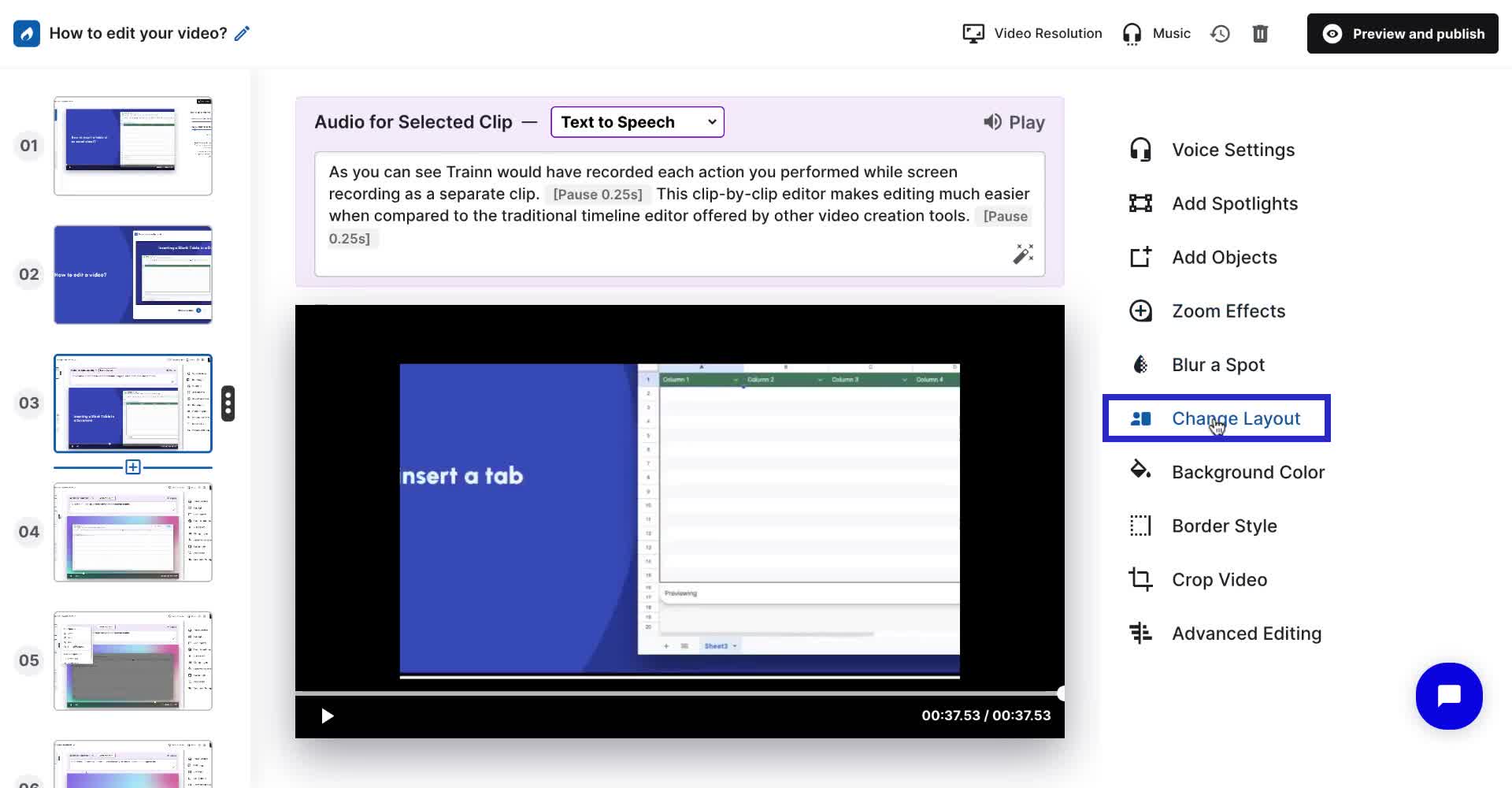
When an imported clip doesn’t appear in full-screen layout despite selecting the Change Layout>Maximize Layout, it’s likely due to a resolution mismatch. Adjusting the video resolution to 720p can help ensure the clips fit the full-screen layout properly.
Steps
Click Change Layout in the video editor
Select the Maximize Layout option
If the clip still doesn't display in full screen, click Video Resolution
Change the resolution to 720p
Note: Doing this will change the entire video's resolution to 720p, not just the specific clip.
